

Public pages
These pages are accessible without authentication:| Page | URL | Purpose |
|---|---|---|
| Landing page | / | Product overview, feature demos, pricing, FAQs |
| Login | /auth/login | Email/password and social auth sign-in |
| Sign up | /auth/sign-up | Account creation with email or social providers |
| Forgot password | /auth/forgot-password | Request a password reset email |
Authenticated platform
After signing in, all platform pages live under/platform. The sidebar provides navigation to organization-level pages and chatbot-specific pages.
Organization-level pages
| Page | URL | Purpose |
|---|---|---|
| Dashboard (chatbots) | /platform | View all chatbots in your organization as cards or a list |
| Members | /platform/members | Invite and manage organization members |
| Organization settings | /platform/settings | Rename or delete the organization |
Organization switcher
Click the organization name in the sidebar to open the switcher dropdown. It shows all organizations you belong to and a Create organization option.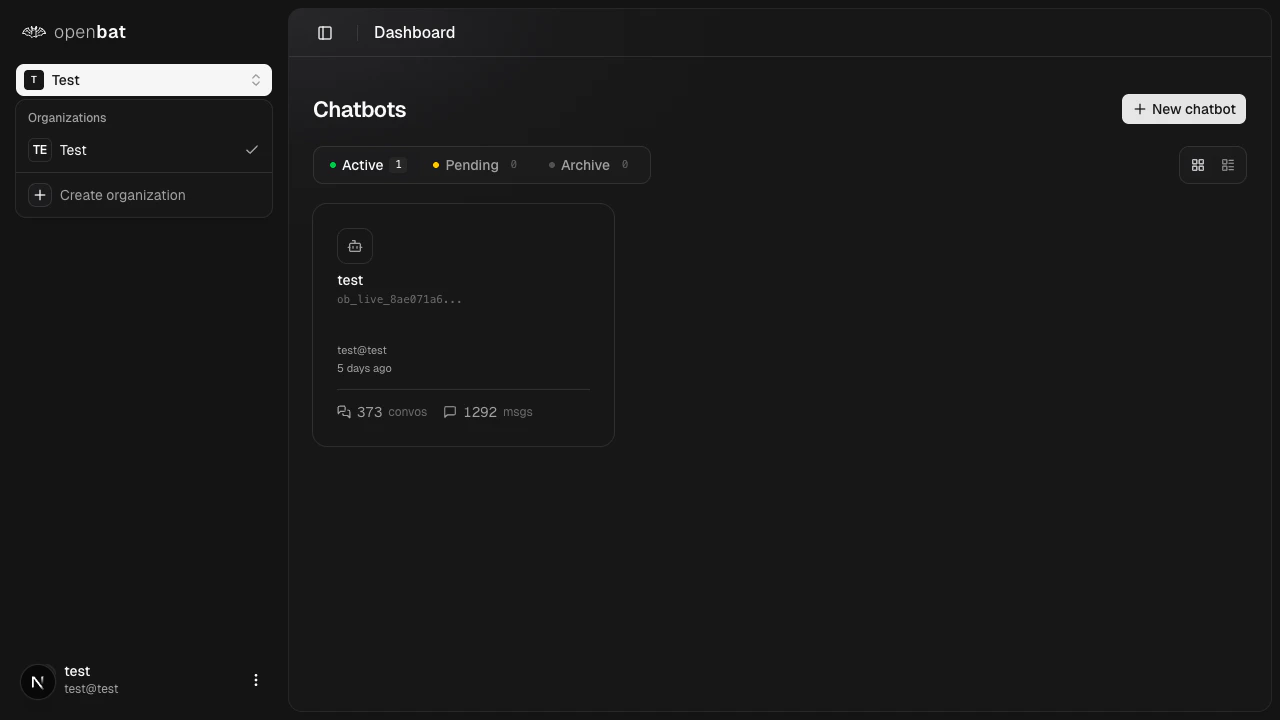
User menu
Click your avatar in the sidebar to open the user menu with Settings and Log out options.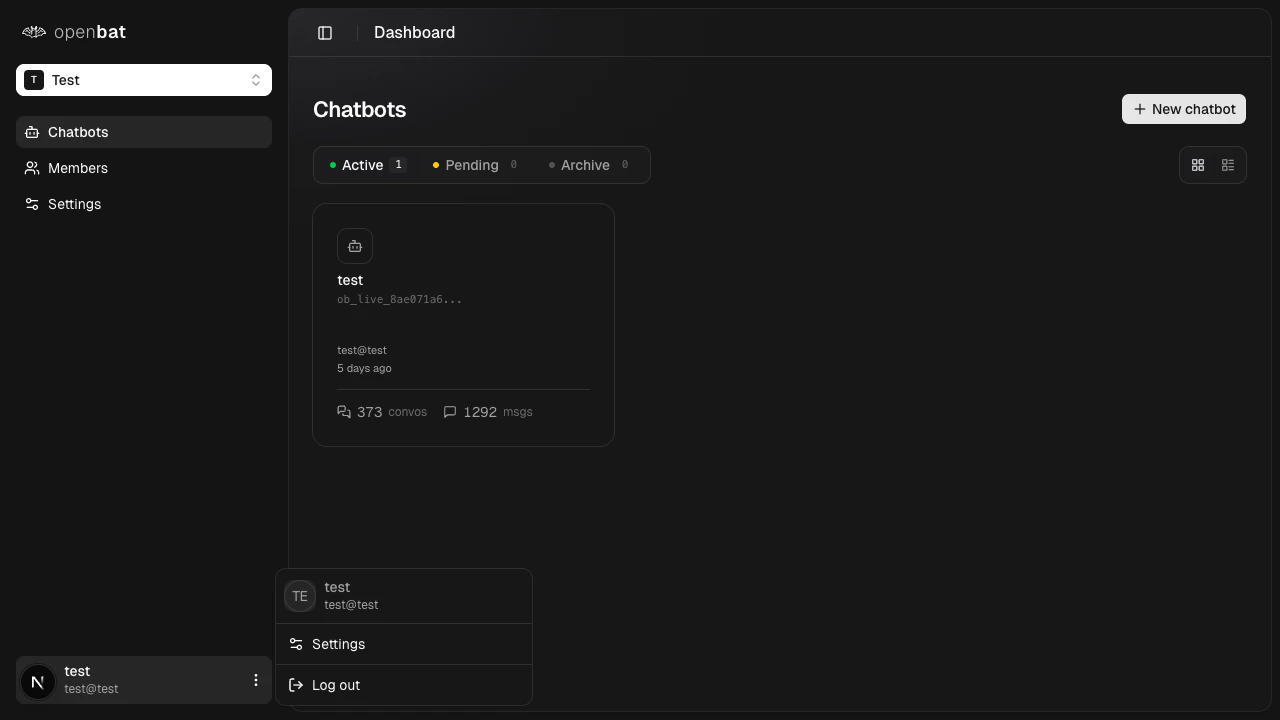
Card view and list view
The chatbot dashboard supports two layouts. Card view shows each chatbot as a card with key metrics. List view shows a compact table with Chatbot, Created by, and Activity columns.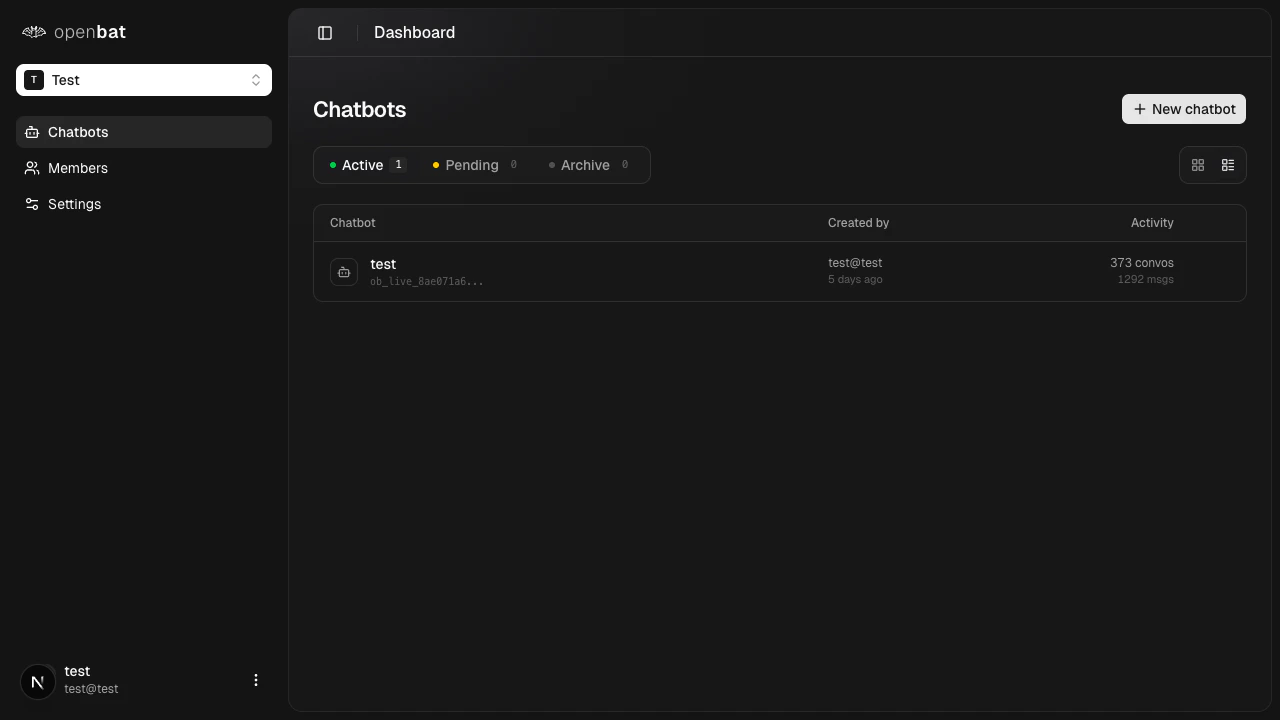
Chatbot-level pages
After opening a chatbot, all pages are scoped under/platform/{chatbotId}:
| Page | URL | Purpose |
|---|---|---|
| Analytics dashboard | /platform/{chatbotId} | KPI cards, sentiment trends, user insights, assistant performance |
| Workflows | /platform/{chatbotId}/workflows | Automation templates, custom workflows, execution history |
| Conversations | /platform/{chatbotId}/conversations | Browsable table of all conversations with filters |
| Conversation detail | /platform/{chatbotId}/conversations/{conversationId} | Full message thread with AI annotations and metadata sidebar |
| Deep search | /platform/{chatbotId}/deep-search | Semantic search across conversations |
| Organizations (clients) | /platform/{chatbotId}/organizations | Table of customer organizations interacting with the chatbot |
| Users (clients) | /platform/{chatbotId}/users | Table of individual end-users interacting with the chatbot |
| Analysis config | /platform/{chatbotId}/analysis-config | Configure metadata, translation, flags, behaviors, and prompts |
| Settings | /platform/{chatbotId}/settings | Chatbot name, company info, API keys, members, webhooks, import/export |
Breadcrumb navigation
Deeper pages include breadcrumbs at the top for easy navigation back to parent pages. For example, a conversation detail page shows: Chatbot name > Conversations > Conversation ID.Next steps
Quickstart
Get started with OpenBat in 5 minutes.
Analytics dashboard
Explore the main analytics view.
Organizations
Manage your organizations.