

Key capabilities
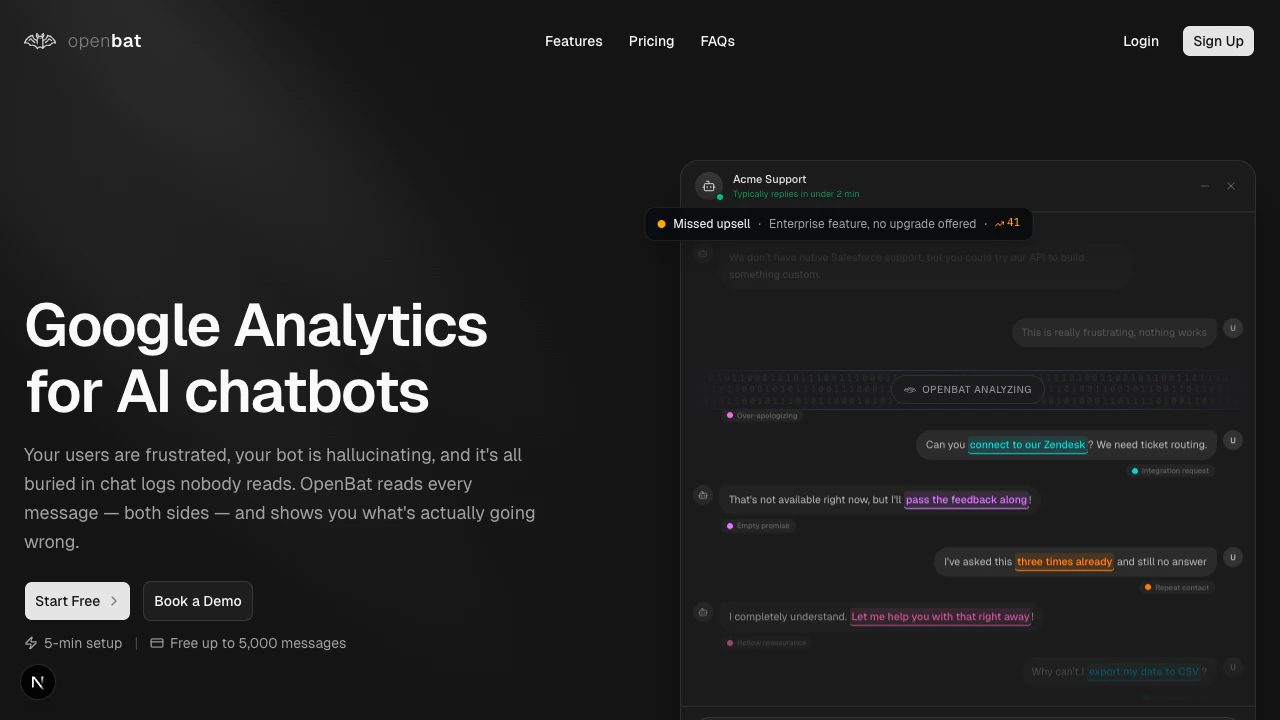
Conversation analysis
Automatically analyze every message for sentiment, intent, topics, and flags. See what users are asking about and how your bot responds — across every conversation.
Behavior detection
Catch hallucinations, dodging, verbose responses, and redirecting before users complain. Every assistant message gets flagged with behavior badges so nothing slips through.
Revenue signals
Surface churn risk, buying signals, and capability gaps from conversation patterns. Know which users are about to leave and which ones are ready to upgrade.
Workflow automation
Set up alerts that fire when specific conditions are detected. Route notifications to Slack, email, or webhooks so the right person acts on them immediately.
Deep search
Find conversations by meaning, not keywords. Ask “users frustrated with billing” and get results even if nobody actually said “billing.”
Multi-language support
Analyze conversations in any language with automatic translation. Your users write in their language — OpenBat understands all of them.
Who uses OpenBat
Customer success managers — Track user satisfaction across accounts, investigate dissatisfied users, and monitor organization health over time. Product managers — Understand what users ask about most, identify capability gaps in your bot, and track sentiment trends across releases. Engineering leads — Catch bot behavior issues early, monitor hallucination rates, and track whether conversations actually resolve user problems. Prompt engineers — See exactly where prompts fail in real conversations. Review behavior badges on every assistant message to find patterns and fix them.Get started
Quickstart
Install the snippet, send your first conversation, and see results in under five minutes.
Dashboard guide
Learn how to navigate the dashboard, filter conversations, and set up alerts.