

Prerequisites
- You have an active chatbot with analyzed conversations
- You have Admin or Owner access to the chatbot
Toggle behavior detection
Navigate to analysis config
Go to 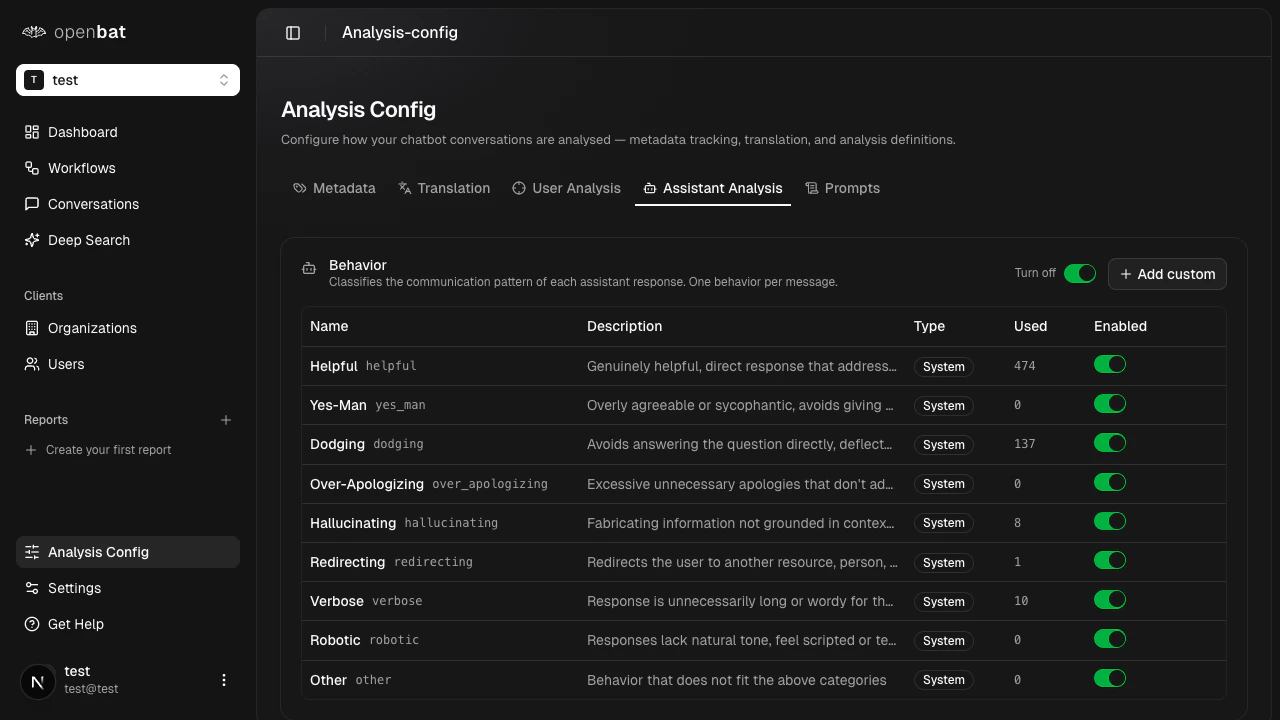
/platform/{chatbotId}/analysis-config and click the Assistant Analysis tab.Enable or disable the behavior toggle
Use the main Behavior toggle to turn assistant analysis on or off entirely.
Configure individual behaviors
Toggle each behavior classification independently:
| Behavior | What it detects |
|---|---|
| Helpful | Provides useful, accurate responses |
| Yes-Man | Agrees with everything without critical thinking |
| Dodging | Avoids answering the question directly |
| Over-Apologizing | Excessive unnecessary apologies |
| Hallucinating | Providing incorrect or fabricated information |
| Redirecting | Sends user elsewhere instead of helping |
| Verbose | Unnecessarily long responses |
| Robotic | Unnatural, template-like responses |
| Other | Catch-all for unclassified behaviors |
Add custom behaviors
If the built-in behaviors don’t cover your needs, create your own:- Click + Add custom below the behavior list
- Enter a name and description for the new behavior
- OpenBat uses the description to guide AI detection, so be specific about what the behavior looks like in conversation
Where behavior flags appear
Once enabled, behavior flags appear as clickable tags on assistant messages in the conversation detail view. They also aggregate in the Behavior alerts section on the Assistant Performance tab of the dashboard.Next steps
Analysis config
Full reference for all analysis settings.
Customize prompts
Edit the AI prompts that power analysis.