

Conversation list
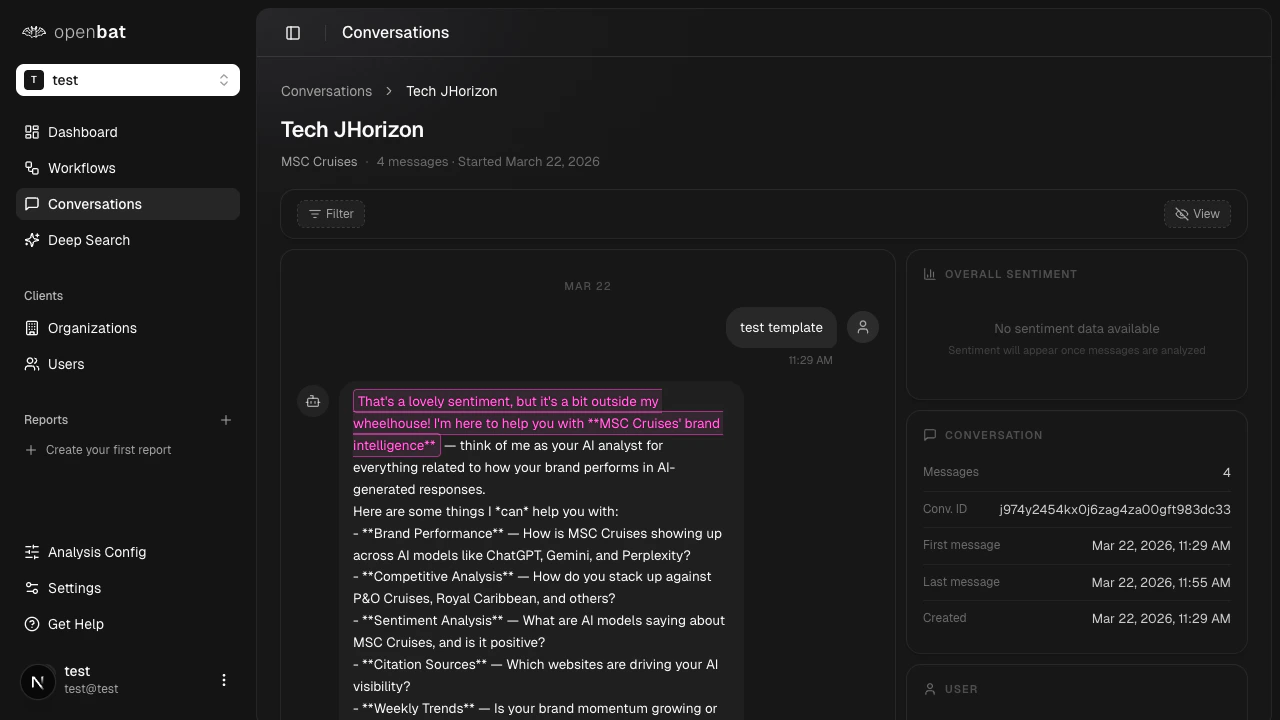
Table columns
Every column is sortable. The default sort is Last active, newest first.| Column | Description |
|---|---|
| User | External user name and email |
| Organization | External organization name, if provided |
| Messages | Total message count in the conversation |
| Sentiment | Average sentiment score with a label badge |
| Language | Detected language badge (shown when auto-translation is enabled and a non-primary language is detected) |
| Last active | When the last message was received |
| Started | When the conversation began |
Search and filters
Free-text search works across user name, email, user ID, and conversation ID. Type any of these values into the search bar to find matching conversations. Faceted filters are multi-select dropdowns that let you narrow results by dimension:| Filter | Description |
|---|---|
| User plan | Filter by plan tier (e.g., Free, Pro, Enterprise) |
| User industry | Filter by the user’s industry |
| Organization plan | Filter by the organization’s plan tier |
| Organization industry | Filter by the organization’s industry |
| Organization ID | Find all conversations from a specific customer |
| User ID | Find all conversations from a specific user |
| Device | Desktop, mobile, or tablet |
| Country | Geographic location of the user |
| Detected language | Filter by language (available when auto-translation is enabled) |
| Filter | Example |
|---|---|
| Message count | Conversations with 5 to 20 messages |
| Average sentiment | Only conversations with sentiment below -0.3 |
| User MRR | Conversations from users paying 2000 per month |
| Organization MRR | Conversations from organizations in a specific revenue range |
Pagination
The list shows 20 rows per page by default. You can increase this up to 100 rows per page.Conversation detail
Conversation header
At the top of the detail view you see:- User name and email
- Organization name (if captured)
- Total message count
- Conversation start date
- Average sentiment score with label and a distribution summary (e.g., “3 positive, 1 neutral, 2 negative”)
User messages
Each user message displays the message content along with inline analysis badges:- Sentiment badge with the label (e.g., Positive, Negative), numeric score, and the reasoning the LLM provided for that score
- Intent badge showing what the user intended (e.g., troubleshooting, feature_request)
- Topic badges with up to 3 topics extracted from the message
- Flag badges for any business signals detected (e.g., churn_risk, buying_signal)
- Chunk-level analysis highlighting specific parts of the message that drove each analysis result
Assistant messages
Each assistant message displays the message content along with:- Behavior badge describing how the assistant responded (e.g., helpful, dodging, verbose)
- Outcome badge indicating the resolution status of the response (e.g., fully_resolved, capability_failure)
- Quality dimensions when available
- Flag badges for any assistant-side flags
Translated messages
When auto-translation is enabled and a message was written in a non-primary language:- The translated text is shown by default with a “Translated from [language]” indicator
- A translation toggle in the filter bar switches all messages between the translated and original view
- Analysis highlight chunks (underlines, colored text) only appear in the translated view, since analysis ran on the translated content
- The original view shows the raw message as the user wrote it
Analysis badge reference
Analysis badge reference
Sentiment
Sentiment labels are color-coded from green (positive) to red (negative). These apply to user messages only.| Label | Color |
|---|---|
| Very Positive | Green |
| Positive | Light green |
| Neutral | Gray |
| Negative | Light red |
| Very Negative | Red |
Intent
Intent badges appear on user messages and describe what the user was trying to do. Values are defined per chatbot (e.g., troubleshooting, feature_request, complaint).Topics
Each user message can have up to 3 topic badges. Topics are defined per chatbot.Behaviors
Behavior badges appear on assistant messages and describe how the assistant responded.| Value | Description |
|---|---|
| helpful | The assistant provided useful, relevant information |
| hallucinating | The assistant generated inaccurate or fabricated information |
| dodging | The assistant avoided answering the question |
| yes_man | The assistant agreed without critical evaluation |
| over_apologizing | The assistant apologized excessively |
| redirecting | The assistant redirected the user elsewhere |
| verbose | The assistant gave an unnecessarily long response |
| robotic | The assistant responded in a stiff, unnatural way |
Outcomes
Outcome badges appear on assistant messages and describe the resolution status.| Value | Description |
|---|---|
| fully_resolved | The user’s question or issue was completely addressed |
| partially_resolved | The response addressed part of the user’s need |
| deflected | The assistant deflected without resolving the issue |
| capability_failure | The assistant could not handle the request |
| incorrect | The assistant provided a wrong answer |
Flags
Flag badges highlight business-relevant signals. User-side flags appear on user messages; assistant-side flags are defined per chatbot.| Flag | Applies to | Description |
|---|---|---|
| churn_risk | User messages | The user may be at risk of leaving |
| frustrated_user | User messages | The user is expressing frustration |
| buying_signal | User messages | The user is showing purchase intent |
| competitor_mention | User messages | The user mentioned a competitor |
| urgent_request | User messages | The user has a time-sensitive need |
| confused_user | User messages | The user is struggling to understand |